As retail brands scale in the UAE, managing several locations becomes harder without the right foundation. In there, you're dealing with unpredictable demand and stock gaps across locations. At the same time, you need to keep your VAT documentation accurate and ready. That’s why a Multi Store Inventory Management System is necessary to resolve these gaps by keeping every outlet connected under a single dashboard.
The right platform keeps your outlets connected. It gives you full transparency into stock movement and ensures you’re prepared for sudden sales shifts during peak seasons. Before choosing any software, it’s important to understand which systems truly fit the way UAE retail works. Below are the top options, and why they matter for businesses managing multiple locations.
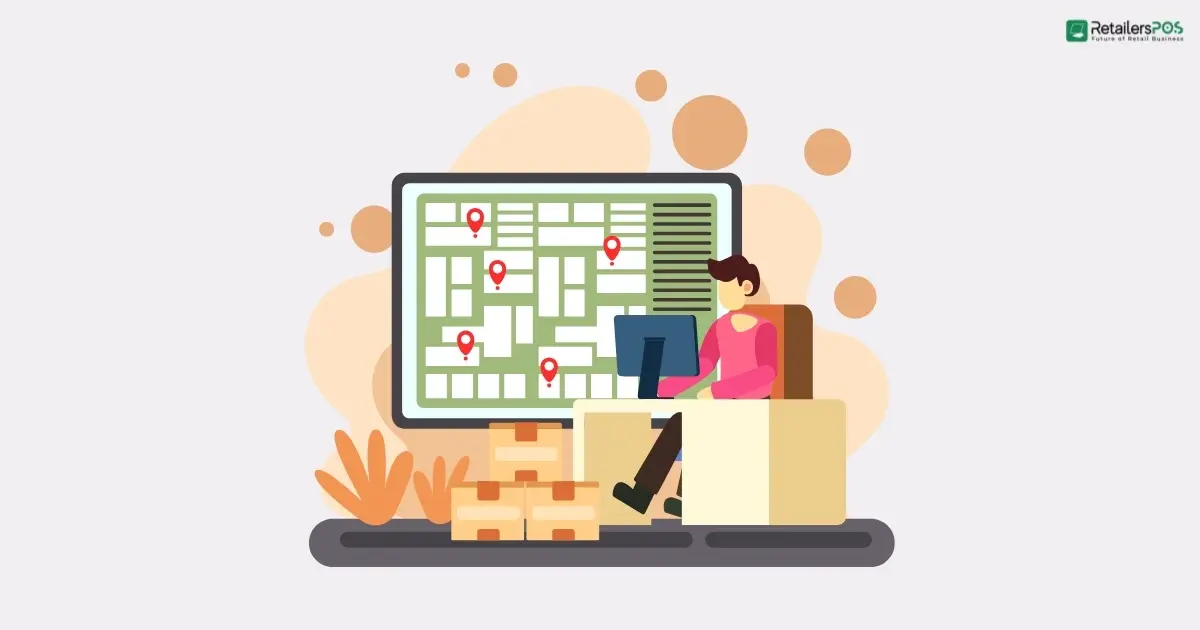
A multi-store inventory management system is a software setup designed for retailers with more than one outlet. It connects stock records, product movement, and branch activities under one unified platform. Instead of each store working with separate stock data, the system centralizes everything. It keeps quantities, transfers, purchase updates, and sales information aligned across every location.
In a marketplace like UAE, inventory management software helps retailers see what’s available in each branch and track potential shortages early. In addition, it records stock movement in a way that supports VAT compliance. For growing chains, this kind of centralized system reduces errors and shows how each outlet is performing.
Choosing the right system becomes crucial once a retail brand starts managing stock across several outlets. The UAE market has plenty of software options. However, not all of them are designed to handle branch-to-branch transfers, real-time visibility, or the VAT-ready reporting that local retailers rely on.
In this guide, we will discuss the Top 10 Multi Store Inventory Management Systems in UAE which can support your daily store operations. Each software listed here includes features designed for multi-location performance. Whether you’re running a few stores or a growing chain across different locations, these tools can support your operations.
Retailers POS is the best Multi Store Inventory Management System in UAE. It’s a cloud-based retail management system that unifies POS, inventory, accounting, and store operations across multiple branches. It’s built to help retailers handle all their tasks from one interface. This includes everything from billing to stock transfers.
Key Strengths of Retailers POS:
Ideal For:
RetailersPOS works well for UAE businesses because it provides full visibility of stock across all outlets. This remains valid even when demand varies widely from one store to another. Its cloud access allows regional teams to monitor performance without being physically present. This is especially useful for brands spread across malls, high-street locations, and community markets.
The built-in VAT features of Retailers POS support clean record-keeping during audits. At the same time, the system provides real-time inventory updates. These updates help prevent stock gaps that commonly occur during peak seasons such as Ramadan, Eid, and major shopping festivals. For many retail chains, this unified structure offers stronger control. As a result, their branches run in a more predictable and consistent way.
Zoho Inventory is a cloud-based inventory and order management solution. It supports multi-location stock handling, serial and batch tracking, and smooth integration with Zoho’s wider business ecosystem. Zoho Inventory is well-suited for growing retail businesses that operate from more than one warehouse or store location. It’s trusted by businesses around the world and has millions of users across 160+ countries.

Key Strengths of Zoho Inventory:
Ideal For:
Zoho Inventory is a great fit for UAE retailers because it supports VAT-compliant operations. It makes it easier to configure tax rates and track transactions in line with UAE tax regulations. Its multi-warehouse feature allows you to distribute inventory intelligently across multiple locations. For instance, you can manage stock across locations such as your Dubai and Sharjah outlets.
The platform integrates with major e-commerce channels. This helps retailers who sell both in-store and online keep their stock synchronized. Besides, it reduces the risk of overselling. On the other hand, the reporting tools of Zoho give you clear visibility into the performance of each warehouse. It enables you to make data-driven decisions about restocking, transfers, and demand forecasting.
StyleMatrix offers an AI-driven inventory management platform that can function as fashion and footwear retail system. It’s particularly suited for retailers with several store locations. The platform uses cloud-native microservices at its core. This allows it to integrate easily with POS, ERP, and e-commerce systems and offer real-time visibility. Besides, StyleMatrix uses a machine-learning forecasting engine that analyzes demand by SKU, store, size, and color. With these insights, it automates both replenishment and store transfers.

Key Strengths of StyleMatrix:
Ideal For:
StyleMatrix gives UAE retailers, particularly fashion chains, AI forecasting and real-time stock visibility. These features make it easier to control stock movement from one branch to another. This works for stores in major malls as well as those in high-street locations. Its centralized dashboard allows regional managers to monitor inventory from any location. With this insight, they can transfer products to the stores where demand is highest.
As StyleMatrix Inventory understands variations by SKU, size, and location, it can accurately identify where demand shifts. This leads to less excess stock sitting in slow-moving stores. At the same time, it ensures better availability during busy seasons like DSF or Eid. StyleMatrix’s AI-powered reorder suggestions and transfer alerts also save time and reduce manual workload. This gives UAE-based fashion retailers a smarter, more reliable way to align stock with demand.
Vyapar is a free, cloud-based retail billing and inventory management application built primarily for small and medium businesses. Its inventory module supports multi-store (or multi-godown) operations. This allows users to manage stock across several warehouses or retail locations perfectly. You will get real-time inventory tracking as stock is moved, sold, or transferred. This includes detailed tracking of batch numbers, serials, models, and colors.Its mobile-friendly design lets you track inventory, make stock adjustments, and generate invoices. You can do all of this directly from your smartphone or tablet.

Key Strengths of Vyapar:
Ideal For:
Although Vyapar originated in India, its UAE-specific version is designed for local VAT compliance. The UAE version supports VAT billing and includes TRN on invoices. Vyapar offers a centralized inventory dashboard for UAE retailers who operate multiple branches. It provides a clear way to monitor stock across different stores or warehouses. The business owner or manager can get real-time visibility regardless of where the business is located.
Vyapar also supports stock transfers between locations. This helps retailers reallocate inventory smartly to avoid both overstock and stockouts. The mobile-friendly design of Vyapar makes it easy for retailers to update stock using their phones. The advantage is, this system works fine offline and synced once the connection returns. Not to mention, it also works on desktop as well.
Lightspeed Retail’s inventory management solution is a cloud-powered platform. It brings together POS and stock control across multiple retail outlets. With real-time inventory synchronization across locations, it becomes easier to track SKUs, size and color variants, and serial-numbered products. Lightspeed lets you create purchase orders directly from the POS and set reorder points. The system also provides low-stock alerts to help you maintain availability of your top selling items. For retailers with both in-store and online sales, Lightspeed provides a unified inventory system. This helps maintain consistent stock levels across all channels.

Key Strengths of Lightspeed POS:
Ideal For:
Lightspeed’s inventory system is especially useful for UAE retailers with multi-branch operations. This includes businesses with stores in different locations or a mix of mall and street-side outlets. The ability to track stock live across branches helps you understand exactly what each location needs. This makes it easier to optimize distribution and reduce overstock or dead inventory. Besides, this software connects directly with supplier catalogs like NuORDER. As a result, you can keep all your purchasing in one place instead of dealing with multiple ordering systems.
Furthermore, Lightspeed Inventory provides low-stock alerts and automated reorder workflows. These tools are especially useful during high-demand seasons like the Dubai Shopping Festival or Ramadan. In addition, if you also sell online, Lightspeed connects your e-commerce inventory with your in-store stock. With both channels connected, you get a complete overview and can avoid overselling.
TallyPrime includes a full inventory module as well as accounting and store operations features. Together, these support warehouse setups, single stores, and multi-location retail operations. TallyPrime allows businesses to treat each retail outlet, warehouse, or godown as a separate stock location. This makes it possible to track inventory across multiple sites within one system. It supports batch and expiry tracking, making it suitable for perishable or date-sensitive items. It also integrates with barcode or RFID tools for faster billing and stock checks.

Key Strengths of TallyPrime:
Ideal For:
Retailers in the UAE often manage fast-moving stock across multiple emirates. Because demand shifts quickly between locations, they need tight control and visibility. TallyPrime helps by treating every store or warehouse as an individual stock point. This warehouse POS lets owners see what’s available in each branch without switching between different systems. This makes stock transfers, replenishment decisions, and branch-wise planning far more straightforward.
TallyPrime includes batch and expiry controls for managing date-sensitive products. This feature is particularly important for supermarkets, pharmacies, and cosmetic retailers in the UAE. Besides, barcode and RFID features help teams process items quickly. This is especially useful during weekends and seasonal shopping peaks when customer traffic is high. What’s important, since inventory is tied directly to accounting, all stock movement reflects instantly in financial records.
Oracle NetSuite Inventory Management gives its users a real-time, unified view of inventory across all locations. This includes warehouses, retail stores, pop-up shops, and even 3PL partners. It uses historical sales, lead times, and demand patterns to optimize your reorder points. It enables you to make your restock decision in a more intelligent and efficient way. NetSuite Inventory includes a mobile-enabled cycle counting tool for auditing physical inventory. You can perform counts without pausing transactions, ensuring everything keeps running smoothly.
Key Strengths of NetSuite ERP:
Ideal For:
NetSuite’s unified inventory view helps UAE retailers manage stock across different outlets. It makes stock management easier between various outlets, including high-traffic malls, smaller stores, and warehouse sites. With its central visibility, you can shift inventory between stores based on real-time sales trends.
The system’s demand-based restocking model supports smarter planning during seasonal peak moments. It’s essential to reduce overstocking issues while ensuring the customer demand. Proper stock management helps a lot to reduce store operating expenses in places like UAE.
The Item 360 dashboard of NetSuite Inventory gives you insight into underperforming items and regional stock risks. In addition, its lot and serial tracking features are ideal for retailers who manage high-value or regulated items.
QuickBooks includes online inventory management features for small and medium retailers. It’s ideal to track stock levels, orders, and inventory value in real time. Besides, the system updates these automatically each time a sale or purchase is made. QuickBooks Inventory can integrate with sales channels and ecommerce platforms like Shopify or eBay. This allows you to sync online and offline sales so your inventory stays accurate across all channels. QuickBooks is a good fit for businesses outgrowing spreadsheets or manual methods. It allows them to digitize inventory management without the complexity of an ERP platform.
Key Strengths of QuickBooks Commerce:
Ideal For:
QuickBooks is a practical option for UAE retailers managing inventory across a small number of stores or channels. It keeps stock, sales, and accounting in one place while reducing manual workload. The ability to sync with multiple sales channels is really useful for retailers.
QuickBooks Commerce ensures both in-store and online, making sure inventory stays accurate across the board. What’s important is that the system supports UAE VAT compliance. This feature enables you to continue your business without facing any administrative burdens.
inFlow Inventory is a cloud-based inventory and order management software. It’s designed to replace spreadsheets and manual stock tracking with an intuitive, centralized system. It provides real-time visibility of inventory across multiple locations, including warehouses, stores, and back rooms. The system also supports stock transfers, reorder planning, barcode scanning, and detailed item records. This includes lot and serial tracking with bin or aisle-level location details. Beyond simple inventory, inFlow also manages purchase orders, sales orders, invoicing, and fulfillment workflows.

Key Strengths of QuickBooks Commerce:
Ideal For:
For retailers operating across several stores or warehouses, inFlow helps keep track of where each item is stored. This reduces overstocking at one outlet and shortages at another. The system provides reorder alerts and supports multiple locations. These features help you keep up with changing demand during busy shopping festivals or holiday seasons.
Barcode scanning and batch or serial number tracking of inFlow Inventory add reliability to inventory processes. This is especially important when handling electronics or other high-value goods. It brings orders, invoicing, and stock control together in one platform. As a result, operations become easier for stores growing across different places or multiple branches.
Refrens provides a cloud-based solution for inventory and billing. It allows you to track stock in real time across warehouses, branches, and retail outlets. It supports batch-wise and serial-number tracking, barcode scanning, and bulk stock uploads. Besides, inter-location stock transfers are useful for multiple stores in a wide market like UAE. The system also includes easy stock transfer tools and delivery-challan creation. These features make it simpler to move stock between stores, something many expanding retailers struggle with.

Key Strengths of Refrens:
Ideal For:
UAE retail chains often experience uneven product demand from one location to another. Retailers here need to handle frequent stock transfers between branches and require strong control for items that are expiry-based or high-value. Refrens lets store owners check the stock status of all branches from a single view. It also simplifies transferring items between outlets so nothing gets mixed up.
The system offers batch and serial tracking for products that need strong traceability. It also includes billing and accounting features that ease the back-office workload. This feature is necessary for teams managing both sales and supply activities. Likewise, Refrens’s automated updates reduce manual bookkeeping. It’s especially helpful for smaller retail chains that are trying to stay organized.
Choosing the right multi-store inventory system in the UAE requires a clear look at how each platform performs. You need to evaluate stock visibility, branch coordination, demand shifts, and everyday retail workflows. The solutions listed above each offer its own strengths. Some focus on barcode-driven workflows and batch tracking, while others emphasize multi-warehouse control or integrated accounting.
However, all of them provide retailers with a clearer view of their inventory, regardless of how many stores or stock points are involved. A dependable system becomes the backbone that balances inventory, meets customer expectations, and keeps operations aligned. With the right system, retailers can create a multi-store environment that is organized, scalable, and responsive.

Keeping up with the times, managing a retail store manually has become very difficult. In a typical retail store, many different tasks have to be handled every day, such as managing inventory, processing sales, tracking expenses, supervising staff, and keeping customers satisfied. When all these tasks are done manually, mistakes happen frequently, a lot of time is wasted, and losses can occur. Retailers POS offers an excellent solution through automation. With a retail POS software, you can control store management, sales, inventory, and reporting from a single system. Learn how Retailers POS helps you manage your retail store successfully and grow your business with confidence. What Is Retailers POS? Retailer POS is a future ready store management software. It is designed to benefit small, medium, and growing retail shops. According to shop owners reviews, Retailers POS is considered the number one POS software in the market. With Retailers POS, you can manage sales, inventory, customers, suppliers, employees, and business reports from a single screen. No matter what type of store you run, whether it is a grocery shop, fashion store, electronics showroom, pharmacy, or wholesale business, Retailers POS is a reliable solution. It is especially well suited for Bangladeshi shop owners because it is affordable and fully VAT compliant. Setting Up Your Retail Store with Retailers POS Installing a POS system can feel difficult because it usually comes with many different features and functions. However, Retailers POS has made this process much easier. Even if you are not technically skilled, there is no need to worry. You can install the Retailers POS system easily and start using it without hassle. In Retailers POS, the very first step is to create a business profile. In this profile, you need to enter basic details about your business or store, such as the business name, business type, address, VAT information, currency, and tax rules. After that, you create employee roles. For example, you can set roles like owner, manager, and cashier, and assign different permissions based on each role. Managing Inventory and Products Inventory control is one of the most critical tasks for any business. Retailers POS makes this easy by giving you to add products with categories, SKUs, barcodes, cost prices, and selling prices. All types of sales are updated automatically, and the system shows real time data and reports. It also sends alerts before items run out of stock, so you can take action early. You can check stock levels at any time. If you manage multiple businesses, Retailers POS lets you control everything from a single dashboard. This saves both time and operating costs and helps your business run more smoothly. Sales and Billing with Retailers POS Retailer POS makes the billing process very fast and simple. The cashier only needs to scan the item barcode, apply any discount, and complete the bill. The system supports multiple payment methods, including cash, card, and mobile payment apps like bKash, Nagad, and Rocket. Which is very important for retail businesses in Bangladesh. VAT and tax are calculated automatically based on the products purchased by the customer. At the end, the customer receives a digital or printed invoice for the purchased items. This increases customer trust and builds confidence in the store. Customer Management and Loyalty Programs With the help of a Retailer POS system, you can monitor customer profiles over a long period of time. You can store contact details, track purchase history, and analyze buying behavior. The system also supports due sales and credit customers, which significantly increases sales. At the same time, customers are more likely to return to the same shop again and again. Employee and Staff Management With the Retailers POS system, owners can easily control and monitor staff activities. They can assign role based permissions, limit access where needed, and track each cashier’s sales record instantly. Because everything is visible in the system, the risk of human error is greatly reduced. All staff members can clearly understand their assigned responsibilities, and tasks can be managed accurately and on time. Expense and Supplier Management A business does not grow only by increasing sales. It also grows by controlling expenses, and Retailers POS does this accurately. The system provides daily analysis data showing how much money is spent in each area, helping owners understand and manage costs better. With Retailers POS, you can easily handle transactions with item suppliers. You can track purchases, keep supplier payment records, and monitor outstanding dues. Because all this information is shown in a clear and organized way, the chances of reducing losses and increasing profit become much higher. Reports and Business Insights One of the most valuable and powerful features of a Retailer POS system is its reports and business insights. With just one click, you can generate daily, weekly, or monthly reports. These reports include detailed sales data, profit margins, inventory valuation, and insights on best selling items, helping you clearly understand how your business is performing and where to improve. Benefits of Using Retailers POS for Store Management Like many other POS systems, Retailers POS also includes the essential features that any POS system must have. Beyond these basics, what makes Retailers POS a smart choice for store management is the strong build quality of the software. The system is very easy to access and user friendly, so anyone can learn to use it without difficulty. To add more, Retailers POS does not only automate billing, inventory tracking, and sales management. It also offers barcode billing, detailed inventory control, sales analytics, and customer database management. While many POS systems in the market provide similar features. But Retailers POS delivers these services in a more accurate and reliable way. Lastly, The biggest advantage of using Retailers POS is that it is suitable for almost any type of business. Its pricing structure is designed by considering businesses of all sizes and budgets. Another major benefit of Retailers POS is its 24/7 customer support through phone calls. In addition, for local areas, they provide skilled support staff who can visit the store and resolve issues in person. This level of local and dedicated support is something most other POS systems do not offer. Managing Your Store Remotely The main feature of Retailers POS is its cloud based system. Because it is cloud based, you can access and control the system from anywhere at any time without any hassle. Retailers POS also provides a Super Admin option that allows you to monitor everything easily. If you have multiple shops, you can manage and control all of them from a single screen. This powerful super dashboard is what makes Retailers POS one of the best POS software solutions in the market of Bangladesh. Why Retailers POS Is Ideal for Retail Stores in Bangladesh Retailers POS has been developed with the Bangladeshi market in mind. Considering local VAT and tax regulations, the system supports VAT compliant invoice generation. Keeping the size of Bangladeshi shops and the budget of shop owners in focus, the pricing has been kept very affordable. One of its biggest strengths is reliable local customer support, along with customization options based on business needs. Unlike many other POS systems that are hard to use, this system is designed to be simple and user friendly. It also supports the Bangla language, so anyone can use it easily even without knowing English. Getting Started with Retailers POS Getting started with Retailers POS is very easy. You just need to request a demo, and the signup process itself helps you understand the system clearly. Every section of Retailers POS is simple and easy to understand. Even if you face any confusion, their support team is available 24/7 to assist you. With proper setup and regular use, Retailers POS can offer many benefits for your business. A correct and accurate start can help take your business a long way forward, and their team will always be there to support you throughout the journey. How Much Does Retailers POS Cost? Retailers POS follows four pricing plans: Basic Plan, Premium Plan, Corporate Plan, and Community Plan. Each plan is designed to suit different types of store management needs. Small shop owners and new businesses usually choose the Basic Plan. Mid range shops generally prefer the Premium Plan. Businesses with multiple outlets or large super shops typically use the Corporate Plan or the Community Plan. To know the exact pricing of these plans, you need to contact the Retailers POS support team directly. Conclusion Managing a shop digitally is not difficult if you use Retailers POS. With a single plan, Retailers POS gives you everything you need. You can automate sales, control inventory, manage customers and staff, and track expenses all in one place. If you are planning to manage your store for the long term, choosing Retailers POS is a smart decision. Over time, you will continue to receive reliable service that matches your business needs. FAQs Is Training Required to Use Retailers POS? No training is required to use Retailers POS. It is designed with all types of users in mind, so anyone can access and use it easily without prior technical knowledge. How Secure Is Retailers POS? Retailers POS is one of the most secure POS systems available in the market. It is certified by the Bangladesh Computer Council (BCC-CA), ensuring a high standard of security and reliability.


Running a grocery store in the UAE means balancing thin profit margins against rising rent, energy bills, and labor costs. Every dirham counts, yet many retailers overlook where most of their money slips away. Understanding and managing Grocery Store Operating Expenses isn’t just about saving costs. It’s about building stability, sustaining growth, and staying competitive in a changing retail landscape. Whether you run a neighborhood minimart or a mid-sized supermarket, the right strategies can turn daily expenses into long-term savings. Let’s uncover how smart decisions, modern tools, and practical planning can help your grocery business stay profitable consistently. Understanding Grocery Store Operating Expenses Every grocery store runs on a network of daily costs like rent and electricity to staffing, and stock management. Equipment upkeep is another essential expense that prevents costly disruptions. These are your Grocery Store Operating Expenses, and understanding them is the first step toward improving profitability. UAE is a place where utility prices, retail rents, and logistics can vary sharply between locations, store size, and local regulations. A store in a busy Dubai neighborhood may face higher rent and energy bills. Meanwhile, a store in Sharjah or Ajman might spend more on logistics or supplier coordination. See? It’s totally normal for costs to vary depending on your store’s location and setup. Understanding these expenses gives you a clear picture of where your money is going. With the help of Grocery Store Software, retailers can break down costs by categories like rent, utilities, labor, and wastage. It helps you see which factors really work behind your profit margins. These factors also help you tell which expenses are truly needed and which ones are holding your business back. Regularly reviewing your grocery store’s operating expenses helps you make better choices. It guides decisions on pricing, staffing, inventory control, and where to invest in technology. In a market as competitive as the UAE, this awareness goes beyond basic accounting. It's a strategic advantage that defines how you sustain growth and maintain steady profits year-round. Key Factors Behind High Operating Costs in Grocery Stores High operating costs in grocery stores usually come from several key areas. These include rent, energy consumption, staff wages, and product wastage. In the UAE, power-intensive refrigeration and premium retail spaces add extra pressure on margins. Finding these costly factors enables retailers to take control of spending before it impacts profitability. Let’s discuss them one by one to understand where most of your money goes. Rent and Location-Based Costs In the UAE, rent might be your largest contributor while calculating grocery store operating expenses. The difference between a prime mall location in Dubai and a community-based shop in Sharjah can be dramatic. It affects everything from your monthly overhead to the flow of customers on a particular day. Retail spaces in high-traffic areas demand higher lease rates but can generate greater visibility and sales. However, it depends on how wisely you can utilize the opportunity. Beyond paying the base rent, store owners also need to consider extra expenses. These include service charges, maintenance fees, and utility costs that come with running a retail business. If we only talk about space rent, a Mall kiosk in a premium mall of Dubai can cost AED 40,000–50,000+/month. Aside from location, rents also increase with the size of the space. Retail Space Rent for Prime Location in the UAE Location Name Rent/sq. ft (Yearly) The Dubai Mall (Downtown Dubai) AED 2,000 to AED 7,000 Mall of the Emirates (Al Barsha) AED 2,000 to AED 7,000 Dubai Marina Mall AED 2,000 to AED 7,000 City Walk AED 500 to AED 5,000 Retail Space Rent for Mid-Range Locations in the UAE Location Name Rent/sq. ft (Yearly) Business Bay AED 300 to AED 1,200+ Jumeirah Village Circle (JVC) AED 200 to AED 700 Arjan AED 300 to AED 500 Al Barsha South AED 200 to AED 450 Mirdif City Center AED 300 to AED 1,400 Retail Space Rent for Affordable Locations in the UAE Location Name Rent/sq. ft (Yearly) International City AED 100 to AED 300 Al Qusais AED 80 to AED 250 Al Muwaileh (Sharjah) AED 50 to AED 150 Ajman City Center area AED 80 to AED 300 Rolla (Sharjah) AED 80 to AED 350 Note: The rental rates mentioned above are collected from various sources. Actual prices may vary depending on the exact location, unit size, and property features. Power and Refrigeration Expenses Energy consumption forms a major portion of grocery store operating expenses. In the UAE’s hot climate, cooling systems run almost nonstop, making electricity one of the biggest ongoing expenses. Besides, refrigeration units, air conditioning, and lighting all add up to a major part of the monthly electricity bill. Together, they create a heavy load that significantly increases overall energy costs. Even small inefficiencies can quietly drive up your costs. Things like outdated freezers or poor insulation might not seem like a big deal. But over time they can lead to significant energy losses. To manage these costs, many grocers are upgrading to energy-efficient appliances. They’re using smart temperature controls, and following regular maintenance schedules. Tracking energy use and switching to inverter-based systems can make a big difference. These upgrades not only lower power bills but also help maintain consistent cooling to keep products fresh. In today’s market, energy costs can quickly impact profit margins. That’s why efficient refrigeration is a necessity. You can consider it as a strategic investment that keeps your business consistent over time. Staffing and Labor Regulations Staffing is another key element in grocery store operating costs. In the UAE, labor expenses can differ widely depending on the store’s location, size, and local employment regulations. From cashiers and stock handlers to supervisors and delivery drivers, every role adds to the payroll. Together, their wages and benefits make up a large part of the store’s monthly expenses. When it comes to staffing, having too many staff during slow hours or relying on manual tasks can slowly drain your resources. That’s why many store owners use Store Operations Software to reduce manual tasks. On the other hand, having too few employees can hurt service quality and reduce customer satisfaction. That’s why it’s important to maintain the right balance between staffing levels and operational needs. The smartest way to manage staffing is through proper scheduling and cross-training. Using digital tools for attendance and shift management also makes the process convenient. Balancing the compliance and productivity can smoothen the operations and keep the costs under control. Product Wastage and Inventory Shrinkage Product loss is often one of the most overlooked costs in grocery store operations. Yet over time, it can quietly reduce profit margins and impact overall performance. In the UAE’s grocery sector, managing waste is a constant challenge. Many items are temperature-sensitive and have short shelf lives so that wastage from expired or damaged goods is a daily challenge there. On top of that, issues like inventory miscounts, theft, or supplier discrepancies can make the financial impact even greater. To tackle this issue, grocers must begin with stronger tracking and smarter stock control. Digital inventory systems, accurate reorder levels, and proper staff training can all help minimize waste. Regular audits and barcode-based tracking make it easier to detect shrinkage early. By catching issues before they grow, stores can prevent bigger financial losses. When every item is accurately tracked, managing costs becomes simpler. It also helps protect profit margins and ensures smoother day-to-day operations. Practical Ways to Reduce Grocery Store Operating Expenses Someone may consider reducing grocery store operating expenses as drastic cuts. But it's not, actually. It's all about making controlled and thoughtful decisions that strengthen day-to-day operations. Even small adjustments on sourcing or energy management can lead to measurable savings. For grocery retailers in the UAE, rent, utilities, and staffing costs are constantly rising. That’s why a practical approach to expense control can make all the difference. It can be the key factor that separates tight profit margins from steady, sustainable growth. Automate Billing and Inventory Management Manual billing and stock tracking can cause slow checkouts and frequent data errors. They also increase the risk of misplaced inventory which drives up operating costs for grocery stores. Whereas, automating them with a modern POS Billing System makes checkouts quicker. It helps store owners record data accurately, process transactions instantly, and monitor stock levels in real time. In the landscape of UAE’s grocery market, automation effectively helps in reducing reliance on manual work. It eventually prevents costly errors like overstocking or missed reorders. Integrating a billing and inventory tool automatically updates stock after each sale and provides detailed reports. It also sends you alerts when your hot-picks items are running low. The ultimate result is hassle-free store operation, fewer losses, and precise findings on profit margin. Switch to Energy-Efficient Equipment As we discussed earlier on power and refrigeration expenses, it’s true that energy bills make up a major part of grocery store expenses in the UAE. It’s a place where average temperature hits over 45° in summer. As a result, running refrigeration, lighting, and air conditioning almost nonstop is a common scenario. In order to save the energy cost, switching to energy-efficient systems can make a big difference. Tools like inverter-based freezers, LED lighting, and smart thermostats help reduce electricity use without affecting performance. Though the initial investment may seem high, the long-term savings on utility bills and maintenance quickly make up for the cost. On the other hand, old or poorly maintained equipment uses much more power than necessary. Over time, it costs you a lot without letting you know anything. Combining these upgrades with routine maintenance and energy monitoring tools helps your store operate reliably. It helps protect both your products and your profits in the long run. Pro Tip: Schedule monthly energy audits. A quick check of your equipment’s performance can uncover hidden power drains. It will save your store thousands each year. Train Staff for Multitasking and Waste Control Your staff are the backbone of your store’s cost control. They can make a noticeable difference in cost efficiency based on how well they handle daily tasks. That’s why training staff to multitask is important. When employees can handle tasks like stocking shelves, managing checkouts, or monitoring perishables, it makes the team more flexible. This also helps reduce downtime and keeps the store running smoothly. Teaching waste control to your staff is also important as managing sales or inventory. Staff should understand proper storage, rotation (FIFO method), and product handling to prevent product spoilage and unnecessary loss. For instance, one UAE grocery chain trained its staff to record soon-to-expire items each day and offer them at quick discounts. Within a few months, this simple practice reduced wastage by nearly 20%. Regular short refresher sessions or daily team check-ins help maintain this habit. They also build a cost-conscious and accountable work culture that directly supports profitability. Negotiate Supplier Terms and Local Sourcing Supplier relationships play a crucial role in controlling grocery store expenses. Strong negotiation and clear communication can really make a real difference in monthly cash flow. The grocery market of the UAE is import dependent for many goods. This dependency often brings fluctuating shipping and customs costs. Building long-term relationships with suppliers helps stabilize these challenges. At the same time, exploring local sourcing options helps cut transport costs and ensures quicker restocking. Indeed, UAE-based producers and distributors often provide competitive prices, and fresher goods. They also maintain shorter delivery times, comparatively. By balancing imported items with locally sourced products, grocery retailers can bring down overall expenses. This approach also helps improve stock turnover and build stronger relationships within the local supply chain. Final Thoughts Managing Grocery Store Operating Expenses goes beyond day-to-day accounting. It’s a long-term strategy for running a sustainable and successful grocery business. In the UAE’s competitive retail market, rent, energy, and labor costs continue to rise. Retail success now depends on how well each expense is managed. Negotiating better terms with suppliers, training staff effectively, and using energy-saving technology all play an important role. Together, these improvements work to strengthen your profit margins. However, consistency is what makes the difference. You must work on regularly reviewing your expenses, track performance, and adjust as the market changes. FAQs How Do I Calculate Grocery Store Operating Expenses? To calculate your Store Operating Expenses, start by listing every fixed and variable expense of your store. Fixed costs include rent, utilities, licenses, and insurance. Likewise, variable costs include staff wages, product wastage, packaging, and maintenance. Add all of these costs together over a set period, usually monthly. This will give you a full picture of your total operating expenses. Tracking these numbers by hand can be slow and often leads to mistakes. Using a POS Cashier System can be an ideal choice to automatically record sales. It can also count on stock movement, and expenses in real time. What Are 5 Examples for Fixed Expenses? Fixed expenses are the regular costs that stay consistent month after month. It doesn’t matter how much your grocery store sells. Here are five common examples: Store Rent or Lease: A predictable monthly payment that usually forms the largest fixed cost for UAE grocery stores. Salaries for Permanent Staff: Full-time employees such as managers or cashiers typically receive set monthly pay. Business Licenses and Permits: Annual fees for trade licenses, municipality approvals, and renewals required in the UAE. Even these are common fees in any part of the world to run a business. Insurance Premiums: Coverage for property, inventory, or liability remains constant throughout the policy period. POS and Software Subscriptions: Systems like Retailers POS have regular subscription or maintenance fees that stay the same each billing cycle. What Are COGS for a Grocery Store? COGS (Cost of Goods Sold) refers to the total amount a grocery store spends to purchase the products it sells to customers. It includes all direct costs tied to buying, storing, and preparing items for sale. In simple terms, it’s what you pay before making any profit.


Are you looking for the Best POS Software in Bangladesh for your business? If that’s a ‘yes' then scroll down to discover which system fits your business best. Running a retail store without the right POS system is like driving with a blindfold. It’s a chaotic, risky, and expensive decision specially for retail business. Bangladesh is a place where you can get a lot of retail business opportunities. However, your POS selection must be aligned to your business size and type. In this guide, we break down the Top 10 Best POS Software for Retail Stores in Bangladesh. What Is POS Software? A POS software is also known as Point-of-Sale software. It’s a digital solution for businesses that manage sales transactions, track inventory, and process payments. A POS system is the central hub of a business to manage its day-to-day operations. POS solution is a great successor to the manual billing system. It not only changes the process but also saves time, decreases errors, and increases accuracy across business. With POS software, you can easily manage your billing, inventory, tax calculation, customer loyalty program, etc. Types of POS Software Normally there are three types of POS software which are used in retail business: Cloud-Based POS: Cloud-based POS are run through online, and accessible from any device. It’s an ideal solution for remote management of the business. Offline POS: Offline POS works fine without the internet. Most of them sync data with cloud servers while reconnected with the internet. However, there are few offline solutions which store data in the local storage and work completely offline. These are useful during load-shedding or poor internet connectivity. Hybrid POS: Hybrid POS are combined with both offline and cloud pos functionality. Nowadays, most of the POS systems are built on this concept. List of Best POS Software for Retail Store in Bangladesh Finding the best retail billing software for a particular business is always a hard task. Availability of functions for the specific business is one of the reasons behind it. However, we created this comprehensive list to find the best software for your business across Bangladesh. This guide will help you to make an informed decision as well. Softwares listed below are ideal for all retail types. Whether, you operate a grocery store, clothing boutique, pharmacy, or electronics shop. Besides, these systems will make your multi-store management easier. Retailers POS RetailersPOS is the best POS software in Bangladesh built for retail business in mind. Though it is capable of handling any type of retail business globally. Retailers POS offers a complete all-in-one billing solution that will increase your store operational ability. It makes your day easy with invoice generation and advanced stock lookup. Talking about the Bangladeshi retail business, Retailers POS supports every local payment gateways like bKash, Nagad, Rocket, etc. Also, you can receive payment through Visa, Mastercard or any other international payment mode. Retailers POS is a cloud-based POS software that stores your sensitive business and customers data in a secured server. It enables you to overlook your business from anywhere, anytime. You can have live stats of your store’s daily sales and returns even if you’re away. Indeed, RetailersPOS can reduce your business operational cost by 35%. There are very few POS systems that can handle any type of retail business. However, Retailers POS is one of them. You can manage your department store, grocery store, convenience store, or small boutique shop with this software. In addition, its multi-store management feature is very useful if you have more than one store. Retailers POS is designed for retailers who want more than just billing. It offers a complete retail ecosystem that handles sales, inventory, accounts, and reporting in one platform. Core Features of Retailers POS Complete e-commerce management. Multi-store management option. Multi-user management with role based access. Customer relationship management & loyalty programs. Sales and expense tracker. Detailed accounting management system. Automatic VAT calculation in checkout. Promotion and discount management. Cloud backup with multiple device connectivity from anywhere. Reliable pricing. Language switching option. AmarSolution AmarSolution is one of the popular POS software in Bangladesh. It’s known for its wide usability in different types of retail business. This POS system is suitable for any size of business. For instance, you can manage large supermarkets, as well as small neighborhood shops. Also, this software can be used to handle restaurants and cafés. AmarSolution can solve slow counter movements with its barcode supported fast billing solution. Besides, it supports a variety of payment methods which provides flexibility to customers. AmarSolution can reduce your manual stock issues with its automated stock management. This feature is especially helpful while handling multi-branch stock operations. Core Features of AmarSolution Multiple device access from anywhere. Customer management tools. User role-based permission for workers. Offline billing mode. Multi-store operation. Secured cloud backup. Nextzen Nextzen POS is an advanced ERP-integrated Point of Sale system. It’s an enterprise level POS solution that has thousands of features in one single platform. At its core, Nextzen POS combines with fast billing, and real-time inventory control ability. Moreover, its detailed financial tracking is an amazing thing with the depth of a full ERP system. Nextzen is the ultimate store operations software for complex product setups. It could easily take care of your sales counter whether selling single items, variants, serialized electronics, or batch-tracked goods. You can even adjust stocks across multiple outlets if you have multiple stores. With Nextzen, you can handle your human resource management in both online and offline. It can also manage leave, payroll, sales targets and other HR stuff. Besides, its CRM module enables retailers to group customers, track purchase histories, and manage loyalty campaigns. Core Features of Nextzen Single and variable products management. Online/offline courier management. Particular report generation for each segment. Customizable setting options and API for all. Category based assets management. SMS notification on POS sale. Manufacturing and production report. E-hishab E-hishab is a widely adopted cloud-based POS software in Bangladesh. It’s a convenient option for small to medium-sized businesses. This software is built for SME business, Trading business, Export-Import, and Supplier business in mind. Machinery companies can also use this software to maintain their day-to-day business operations. Besides, it’s super useful as a Supermarket Management System. E-hishab can handle your sales counter, warehouse, accounts and transactions smartly. You can also manage your supplier information and purchase records from supplier ledger. It’s a cloud-based system that makes it a platform independent. You can access e-hishab from anywhere, anytime just with an internet connection. Core Features of E-hishab Sales center/shop inventory management. Supplier return products record. VAT collection system at percentage rate or fixed amount. Returned and refunded item management. Automatic invoice sending through SMS. Courier service management system . Invoice printing with regular or thermal printers. Income-expense tracking with advanced accounts management tool. Mediasoft Mediasoft is one of the large retail solution providers in Bangladesh. Their POS system is tailored for diverse industries. It doesn't matter if you're running a business with Lifestyle, Electronics, Healthcare, or Hypermarket; Mediasoft POS supports your business anyways. They’re already serving thousands of businesses across retail, wholesale, and enterprise sectors. The industry-focused approach makes Mediasoft a unique and popular choice among retailers. Instead of offering one generic POS system, it develops customized retail management solutions. As a result, different business types such as Jewellery, Pharmacy, Convenience Store, Department Stores, Boutiques & Handicrafts, etc can adopt the system easily. Mediasoft's one of biggest strengths is its scalability. Whether you are running a single outlet or managing multiple branches, Mediasoft can handle it efficiently. It can be deployed as a desktop-based POS or a server-based enterprise solution. Together these make it a suitable solution for growing businesses. Core Features of Mediasoft Management information systems & analytics dashboard. Accurate VAT reports. Multiple terminal creation to serve more customers. Multi-store management support. Damage and lost products adjustment. Easy product return and exchange option. Multiple warehouse management. Variety of payment modes integration. Multiple currency support. PridePOS PridePOS is a cloud-based POS system designed to eliminate modern retail complexity. It’s not only suitable for small shops but also supports growing retail businesses. PridePOS has the ability to combine speed, mobility, and intelligence in one system. Retailers can manage billing, stock control, customer data, and reporting everything from one dashboard. They can process these operations with a desktop computer, tablet, or even a mobile device. It enables owners to operate the business seamlessly both in-store and remotely. The barcode-enabled operations is one of the strongest advantages of PridePOS. It shows products name, image, description, and stock status with just a simple scan. In addition, its inventory management can provide real-time stock updates. Retailers can also track batches, and manage stock transfers between branches to ensure product availability. Multi-industry adaptability is another reason why PridePOS stands out. You can manage your Garments and Textile Industries Healthcare Services, Apparel or Footwear Business with PridePOS. Core Features of PridePOS Split payment option for bulk orders. Product management and replenishment. Customer, price and offer management. Searchable customer database. Customer history for individual customer's profile. Stock and auto-filled orders. User accounts and permissions. Offer and promotion tools. Sunshine Sunshine IT offers one of the most reliable and user-friendly retail POS systems in Bangladesh. It’s designed to make retail and business management easier for shop owners and wholesalers. It contains billing, inventory management, accounting, and reporting in one powerful platform. This solution helps retailers to save time and reduce errors. The POS system by Sunshine IT comes with an interactive dashboard that provides insights on daily sales, stock, and profits. It’s also a cloud-enabled billing software that can log in from desktop, tablet, or mobile from anywhere, anytime. On-the-go business monitoring is becoming more reliable with Sunshine IT when you need it the most. Core Features of Sunshine Paid and due sales report for everyday. Profit and loss tracking for daily sales. Easy product return management. Date wise product purchase report. Category based expense management. Best selling reports. Warehouse setup. Daily sales and profit reports through SMS. Troyee POS Troyee POS is one of the complete billing solutions for retail business in Bangladesh. It contains most of the features of Troyee-Enterprise Edition which is a comprehensive business solution. It’s a great advantage for both small businesses and large enterprises that need deep integration between sales, accounting, HR, and inventory. Troyee POS is widely trusted across retail shops, supermarkets, and wholesale businesses for its quick and accurate billing. This software is also fully complied with VAT regulations of Bangladesh. It’s designed to organize every part of your retail operations. Starting from barcode-based billing to VAT calculations everything is at your fingertips with Troyee POS. Core Features of Troyee POS Multi-branch & enterprise features. Sales point wise accountability. Product wise VAT configuration. Customer loyalty and membership option. Different hot keys activation field for POS invoice. Detailed reporting & analytics. Finance management & accounting integration. Individual user & security management. Techno POS Techno POS is an advanced Point of Sale software for retail business. It’s a perfect platform for retailers to control over sales, accounting, and inventory from one place. This system is also well-organized to handle customer management. You won’t need separate accounting tools to manage your finances. Techno POS integrates daily operations with financial management which is a great advantage of it. Customer credit and installment management is another stand out feature of Techno POS. It’s a useful feature for electronics and appliance retailers. You can track dues, set installment schedules, and maintain detailed customer profiles with Techno POS. Employee management also makes it easy to track their movement, sales target, or salaries. Core Features of Techno POS Built-in accounting system. Automated SMS integration for customers and suppliers. Dedicated mobile app support. Warranty & serial number tracking. Multiple language options. Employee & user management. Product wise profit and loss calculation. 50+ type automated business report. Complete inventory management. Shohoz Shohoz Retail POS Software is a modern and reliable point-of-sale solution built for retail business. It also shows great potential in managing super stores. At the same time, retailers or warehouse owners can use it as an inventory management software. From daily billing to advanced inventory tracking, Shohoz POS simplifies every step of retail operations. Together these make it a perfect choice for Electronics outlets, Mini-marts, Clothing stores, Grocery shops, etc. Shohoz POS can continue operation with internet or without internet. This feature makes it a good choice among retailers. Besides, it also supports cloud backup and multi-device access. This enables owners to check real-time reports, sales data, and inventory status anytime from mobile or desktop. Core Features of Shohoz Low inventory alert. Customer database and loyalty tracking. User role control for multiple users with security control. Access from multiple devices. Online & offline billing. Multiple outlet support. Conclusion Choosing the best POS software for retail store is no longer just about printing receipts. It’s about gaining full control over the business. Controlling the business means managing sales, inventory, and improving customer experience. From Retailers POS to Shohoz each software in this list brings unique strengths that are necessary for the retail scenario in Bangladesh. Each of these software are capable of running your single or multi-store business. They bring a wide opportunity to reduce your manual errors, save time, and grow profits. FAQs How much does POS software cost in Bangladesh? Ans: Different software costs different amounts, depending on features, user licenses, and deployment type. However, the monthly average cost of basic POS software in Bangladesh is around ৳2,000 - ৳ 10,000. Can POS software work without the internet? Ans: Not all POS software can work without the internet. However, there are a lot of POS systems that are capable of continuing store operations without the internet. It’s a useful feature to serve customers even when there's an internet blackout. Is POS software secure for retailers? Ans: Absolutely! Nowadays, POS software is totally secured for retailers. Almost every POS system system includes encrypted databases, user access controls, and role-based permissions for better security. Which is the best POS software in Bangladesh? Ans: In our list there are POS software options like AmarSolution, Mediasoft, Nextzen, etc. However, the perfect one depends on the business type and size. But, if you’re looking for a reliable, cost efficient, and feature-rich POS solution, Retailers POS is the best POS software in Bangladesh.